A practical NPMplus fork for servers I want to trust after a reboot.
I focus on the parts that matter on my own reverse proxy: safer setup, visible CrowdSec and WAF protection, updates that can undo themselves, and diagnostics that help when startup goes wrong.
NPMplus still handles proxy hosts, certificates, access lists, and streams. My changes sit around that core instead of trying to turn it into a different product.
Setup
A guided installer checks the host, keeps the dashboard on loopback, and asks before changing the firewall or operating system.
It can install CrowdSec, AppSec, Anubis, backups, and unattended security updates without requiring hand-written Compose files.
Daily operation
Updates take a last-good snapshot and must pass health checks. A failed update can return to the known working state.
Daily backups are bounded, CrowdSec credentials can self-heal, and boot diagnostics explain DNS or container delays.
Optional protected startup blocks external ports 80/443 before Docker starts, then opens them only after CrowdSec enforcement and service health are verified.
Web application protection
Fresh installations recommend CrowdSec AppSec with virtual patches and high-confidence rules. Protection stays adjustable for each proxy host and custom location.
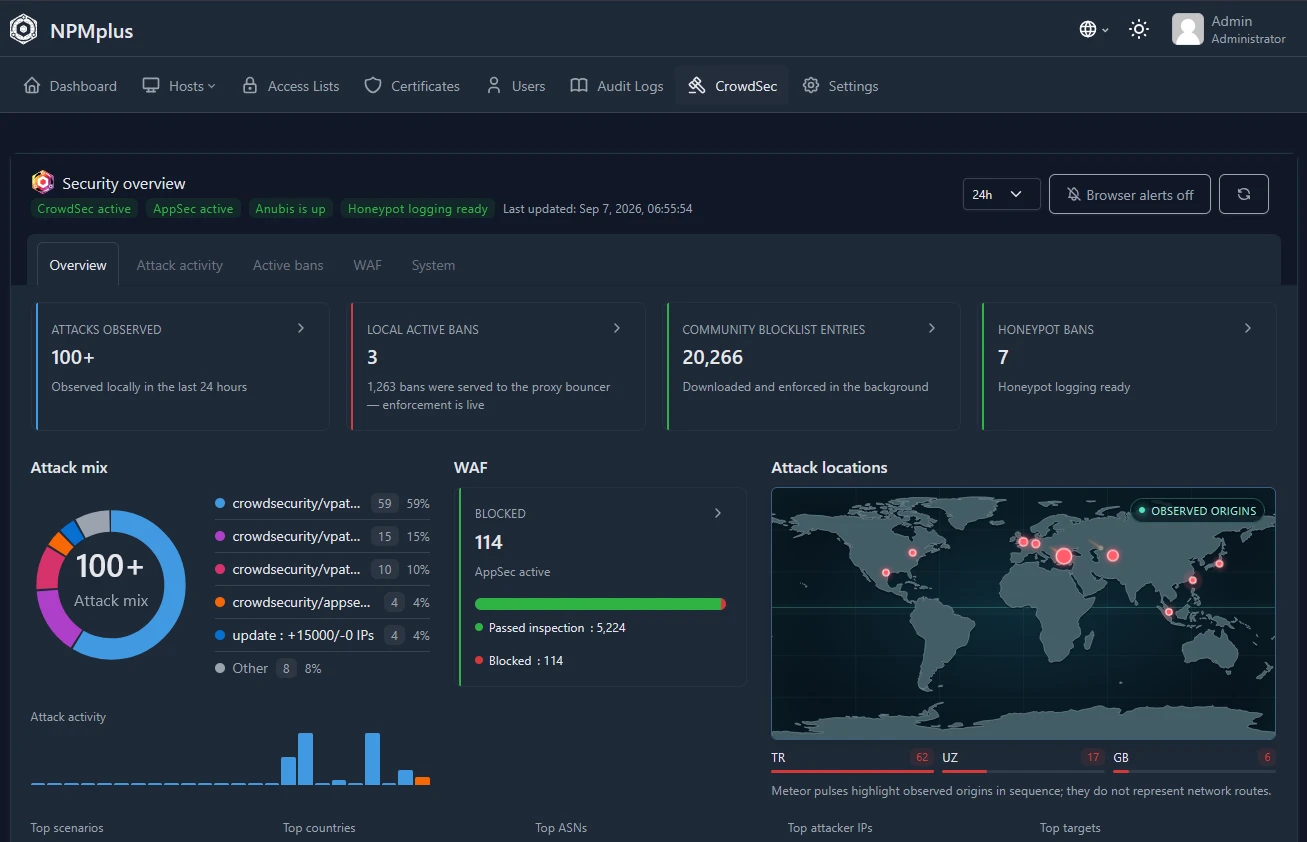
The WAF view shows whether AppSec is active, how many requests it inspected, what passed or was blocked, the current failure policy, and which rules triggered most.
Security visibility
The dashboard separates local attacks from community intelligence and groups the attack mix by attack type, so remote CAPI entries stay enforced without dominating the interface.
Current develop builds add attack details with matched rules, suggested attack types, request paths, and tool hints from recorded User-Agents. Those hints can be spoofed; honeypot addresses alone cannot identify a tool or prove a request was blocked.
Start with one command
For Debian 12/13 or Ubuntu 22.04+. On a new server, choose Install. Run the same command later for a simple menu with safe update, CrowdSec checks, reboot diagnostics, and uninstall. Recommended defaults enable CrowdSec, AppSec WAF, the firewall bouncer, and Anubis.
This command selects rolling develop. RC5 does not include the latest security and attack-detail changes. Inspect the installer before running it; existing sessions require one fresh sign-in after the security upgrade. Read the upgrade and rollback notes.